
A good search engine in WooCommerce is no longer just an add-on to your store. With a large product catalog, it becomes one of the key elements influencing sales, usability, and the overall efficiency of an e-commerce operation. When a user cannot quickly find a product, the problem isn’t merely about convenience. It starts to directly affect conversion, the value of incoming traffic, and store profitability. What is the best search plugin for WooCommerce?
In smaller implementations, many limitations can still be tolerated. With tens of thousands of products – and especially with a catalog of around 180,000 records – the search engine begins to function as sales infrastructure. In such a scenario, what matters is no longer just whether it returns results, but whether it does so quickly, accurately, reliably, and without overloading WordPress.
In this article, we compare the most popular WooCommerce product search solutions on a large catalog. We analyze their architecture, match quality, performance, WooCommerce readiness, implementation convenience, and scalability. The goal of the test was not to point to a solution that looks good on paper or on the vendor’s website, but one that genuinely makes sense in a large e-commerce setting.
Why product search in WooCommerce is no longer a simple add-on
The default WordPress and WooCommerce search works only in the simplest scenarios. Once a store starts to grow and the catalog reaches tens or hundreds of thousands of products, the limitations quickly become apparent.
The problem typically looks similar:
- results are not accurate enough
- the search engine doesn’t handle typos
- response times slow down as the number of products grows
- filtering and sorting are limited
- expanding the search logic requires more and more work
In practice, it isn’t only about technology. If a user types a product name, a similar phrase, or a query with a mistake and doesn’t get useful results, the store loses very valuable traffic. The larger the catalog, the more important search quality becomes, because it often decides whether the user moves on to a product page or ends the session.
That’s why for large WooCommerce stores, the question is no longer “should we implement a better search engine?” but rather “which search model will be the most profitable and stable in the long run?”
Which WooCommerce search solutions we compared
The market offers many tools for improving WooCommerce search. Some of them work locally within WordPress and the MySQL database. Others use external search engines, and still others operate as complete SaaS platforms.
In this comparison, we analyze:
- Doofinder Search and Discovery for WP & WooCommerce
- FiboSearch – AJAX Search for WooCommerce
- Relevanssi + Relevanssi Live Ajax Search
- Search with Typesense
- Yuto – Meilisearch Integrator
- WLC WP Algolia
This set represents the three main approaches to search in WooCommerce:
- local search engines
- search engines based on external open-source engines
- search engines based on a SaaS model
This setup allows us to compare not only specific plugins but also implementation philosophies. And in practice, the operating model turns out to be more important than the feature list itself.
Test methodology – how we tested WooCommerce search engines
The test was conducted in an environment as close as possible to a real, large-scale WooCommerce implementation. All solutions were tested on the same database and across the same usage scenarios.
We analyzed both correctly typed queries and ones containing:
- typos
- phrase fragments
- incomplete product names
- more complex text queries
Performance measurement was based on:
- total end-to-end query response time, measured in the Timing tab of browser developer tools
- TTFB analysis as a component of the request
- observation of autocomplete behavior and perceived performance
- result stability for repeated queries
This approach lets us look at the search engine from the user’s perspective, not just from the backend side. In a large store, what matters is not only how long it takes to process a query, but also whether the user perceives the search as instant and predictable.
The test did not include advanced infrastructure optimization or deep customization of each tool. The goal was to check how each solution behaves in the most default implementation scenario possible. This way, the results show a realistic starting point rather than the best possible outcome achievable only after a significant amount of work.
Test environment
To make the results as close as possible to real implementations, we ran the test on the following configuration:
- WordPress – clean installation
- WooCommerce + Storefront theme
- approximately 180,000 products
- approximately 90 posts
- a few static pages
Each search plugin for WooCommerce was tested:
- in its free version or on the lowest available plan
- without additional infrastructure optimization
- with default or minimally modified settings
This matters because many solutions can look good after extensive optimization. In practice, however, what matters for most companies is how much value the tool provides at the start and how quickly it’s possible to judge whether it’s worth pursuing further.
Evaluation criteria for WooCommerce search engines
Each solution was analyzed against the same criteria:
1. Architecture and implementation model
Does the search work locally within WordPress and MySQL, or does it use an external engine, either self-hosted or SaaS?
2. Indexing scope
What product data can be indexed, and how much control does the solution provide over the index structure?
3. Result relevance
How well does the search engine match results, including with typos and partial queries?
4. Performance and scalability
How does the solution behave with a large catalog exceeding 100,000 products?
5. WooCommerce readiness
Does the search plugin for WooCommerce genuinely support e-commerce scenarios such as indexing products, attributes, prices, and filters?
6. Administrator and developer experience
What does configuration, flexibility, and the ability to customize the interface and search logic look like?
This comparison is practical in nature. In a large WooCommerce store, what matters isn’t just what a solution “can do,” but how much work it takes to bring it to a level that genuinely supports sales.
Typesense (Search with Typesense)
Typesense for WooCommerce – architecture and implementation model
In the tested configuration, Typesense works as an external, self-hosted search engine running as a separate service – for example, in a Docker container. WordPress communicates with it via REST API, and the Search with Typesense plugin serves as the integration layer.
This approach separates search from WordPress itself. As a result, queries do not directly load the application’s database, which has a positive effect on performance and scalability. At the same time, an additional infrastructure layer appears, which has to be configured, monitored, and maintained.
A key issue is how data is indexed. Typesense does not automatically sync with WordPress. It is the application that is responsible for passing data to the index – for example, through imports, hooks, or background processes. In the tested plugin, this mechanism is very basic and amounts to manually triggering indexing from the admin panel. There is no automatic refresh after content changes.
In practice, this means that result freshness depends on a manual reindex or on additional logic implemented on the project side. The architecture itself is efficient, but it requires a more deliberate and technical approach.
Indexing scope in Typesense
By default, this search plugin for WooCommerce handles basic content types such as posts and pages. Extending indexing to include WooCommerce products is possible, but it requires using hooks and custom code.
It’s not enough to tick a single option in the panel. You have to specify which content types should go into the index, which fields should be searchable, and how the data should be prepared.
Typesense relies on an explicitly defined data structure. Every field must have a defined type, name, and usage. Without this, it will not be available either in search or in filtering. This means a lot of flexibility, but also a greater implementation effort.
Result relevance in Typesense
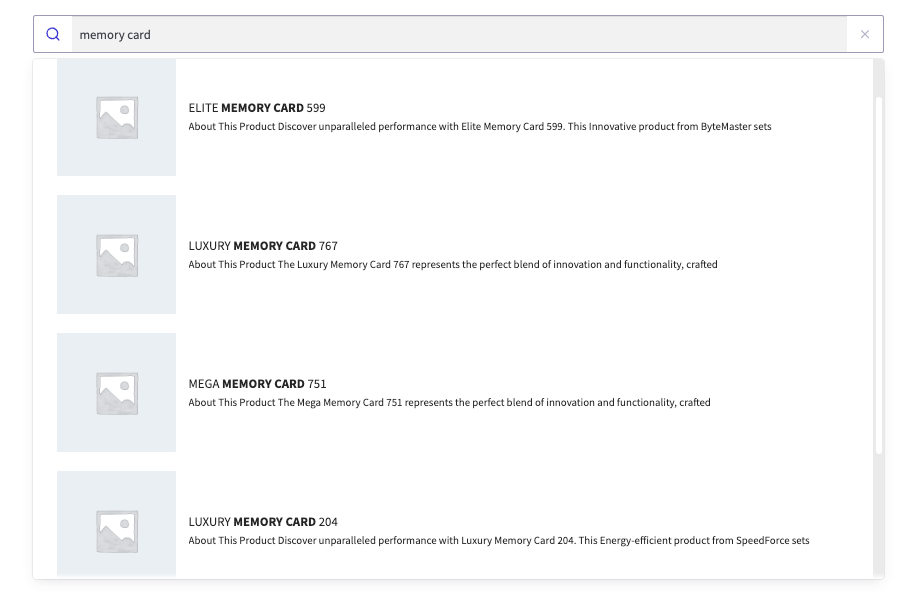
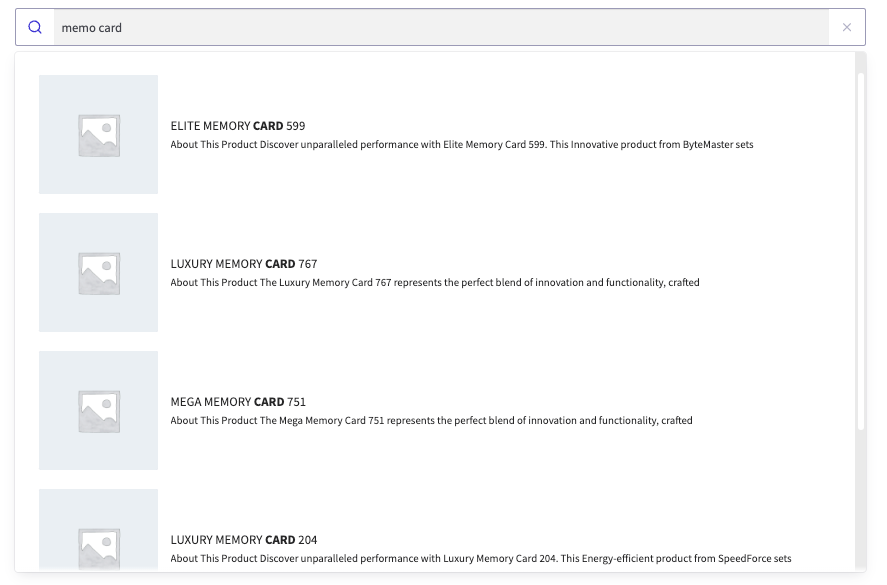
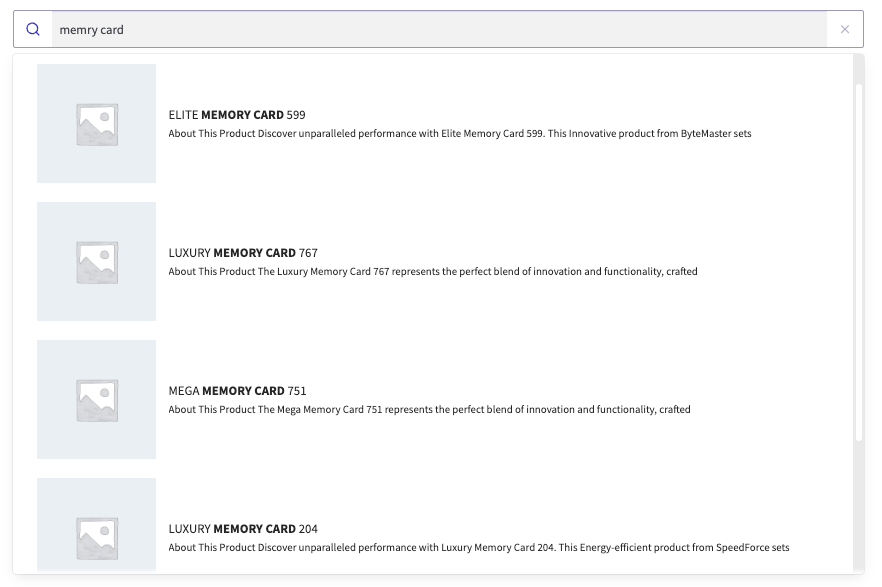
The Typesense engine itself offers very good result-matching capabilities. It handles typos, partial matches, and fast text search.
In tests, queries containing errors – such as “mamory” – returned correct results without a noticeable impact on response time. This shows that the engine itself is at a high level.
The limitation appears in the configuration layer. The admin panel does not provide extensive control over result ranking. More advanced control over which fields carry more weight and how results should be sorted requires changes in code.
In practice, quality can be very high, but this is not a solution that produces that result with minimal effort.
Performance and scalability of Typesense
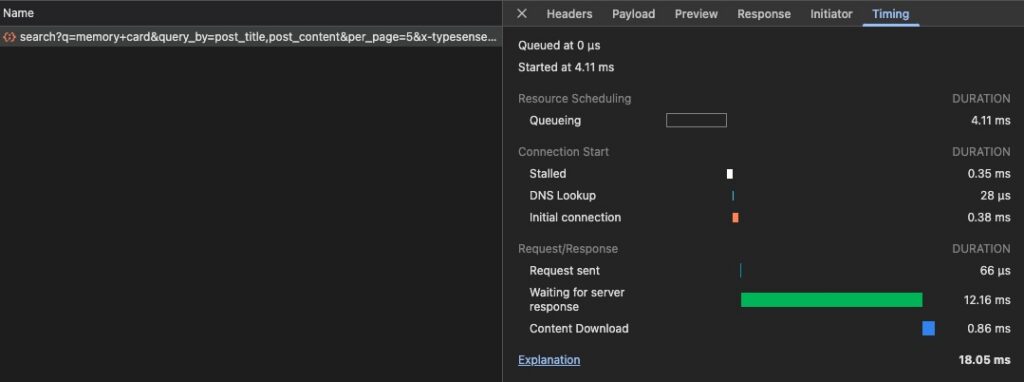
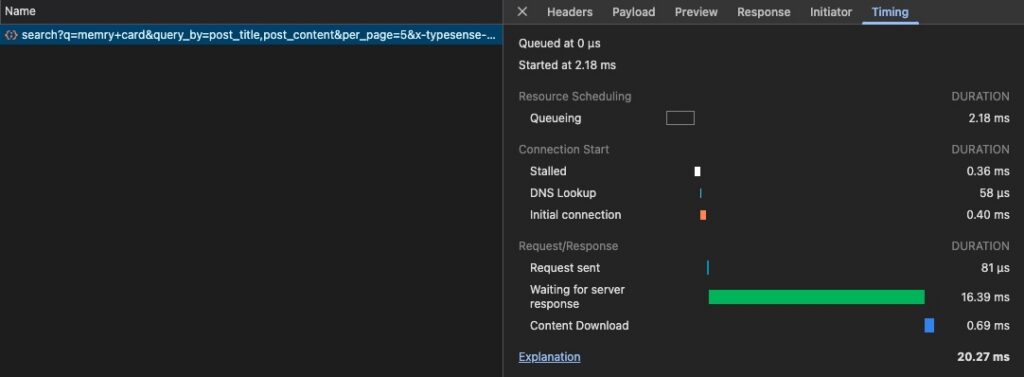
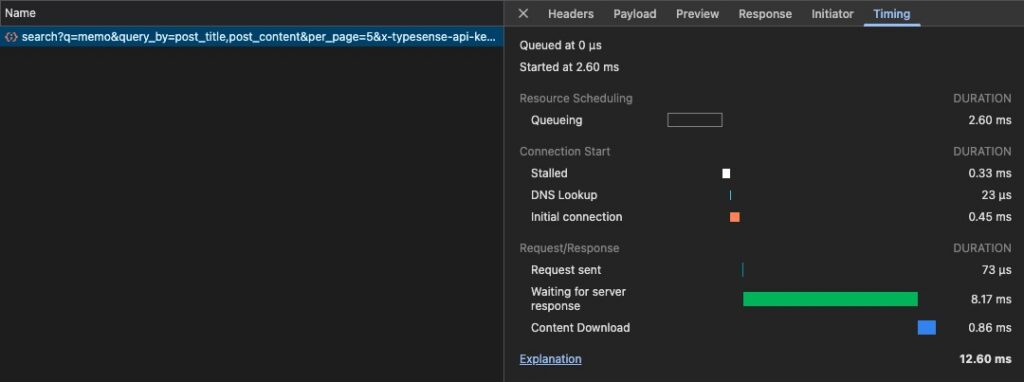
This is one of the strongest areas of the solution. In tests, total response time for queries was around 14–18 ms, and TTFB stayed at around 9–11 ms. Results were stable and repeatable.
Tests included full phrases, phrase fragments, and queries with typos. In all cases, response time remained at a similar level. This means that even more complex matches did not cause significant slowdowns.
In terms of pure performance, Typesense performs very well and is without a doubt a scalable solution.
Typesense and WooCommerce
WooCommerce support is not available in the free version of the plugin. It only appears as a paid extension. Without the add-on, you need to add products to the index yourself, for example through hooks.
This gives full control over the data but increases implementation complexity. In a large WooCommerce store, it means that while the solution can work very well, it requires a more mature development setup.
Administrator and developer experience
The admin panel offers basic features: configuration of the Typesense connection, selection of content types for indexing, manual triggering of indexing, and configuration of autocomplete and instant search.
Shortcodes are also available, allowing you to embed the search in different places on the site and control its behavior.
From a developer’s perspective, the possibilities are broad. The plugin exposes hooks, and the Typesense engine itself allows you to develop indexing and search logic through your own code. Result templates can also be overridden.
At the same time, several elements that matter in practice for large implementations are missing: automatic data indexing, convenient ranking control from the interface, and more complete WooCommerce scenario support without additional work.
Typesense summary
Typesense offers a very fast and efficient search engine that performs well even with a large product catalog. It is a technically strong solution, but it requires a more deliberate implementation.
It works best where the development team wants full control over index structure and search logic, and where additional infrastructure complexity is not a problem. For projects that expect a quicker path to a mature business outcome, it may require too much effort at the start.
Meilisearch (Yuto – Meilisearch Integrator)
Meilisearch for WooCommerce – architecture and implementation model
Meilisearch works in a very similar model to Typesense. It is an external, self-hosted search engine running as a separate service, and WordPress communicates with it via REST API. The Yuto – Meilisearch Integrator plugin serves as the integration layer.
Architecturally, this means the same general direction: search happens outside WordPress, and data is indexed manually from the admin panel. There is no built-in automatic synchronization of content changes.
The difference appears at the integration level. Yuto automatically detects available content types, including WooCommerce products, which makes initial implementation easier.
Indexing scope in Meilisearch
The Yuto plugin immediately detects available content types and allows you to index them without additional configuration. This also applies to WooCommerce products, which appear in the panel and can be indexed with one click.
This genuinely makes getting started easier. Still, this mostly applies to the basic data scope. Extending the index with additional fields, metadata, or more specific product elements requires additional development work.
As a result, Meilisearch is more convenient at the outset than Typesense, but in more advanced scenarios it still requires custom logic and technical involvement.
Result relevance in Meilisearch
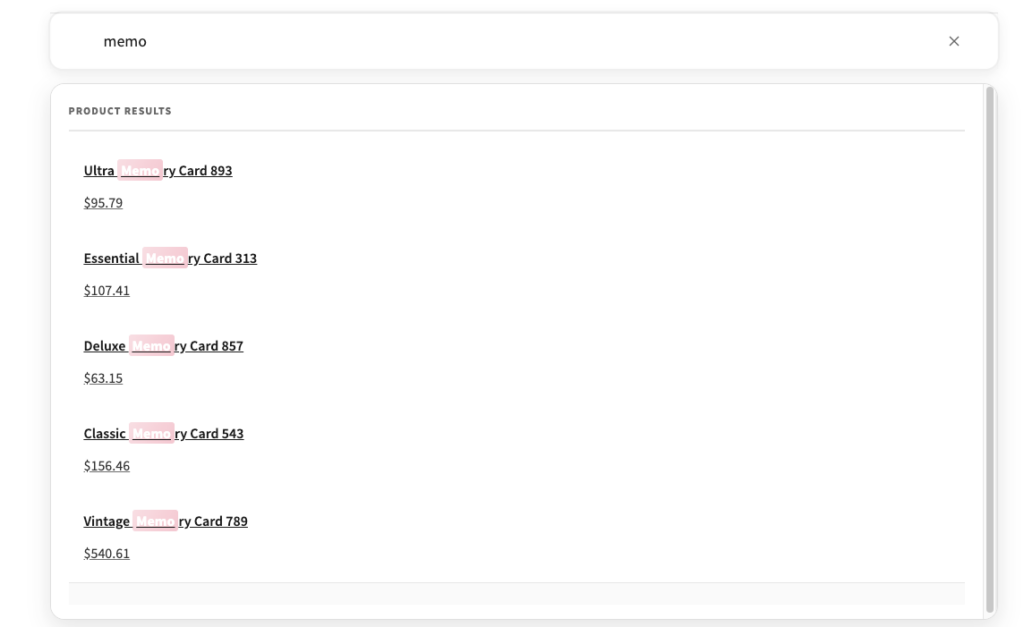
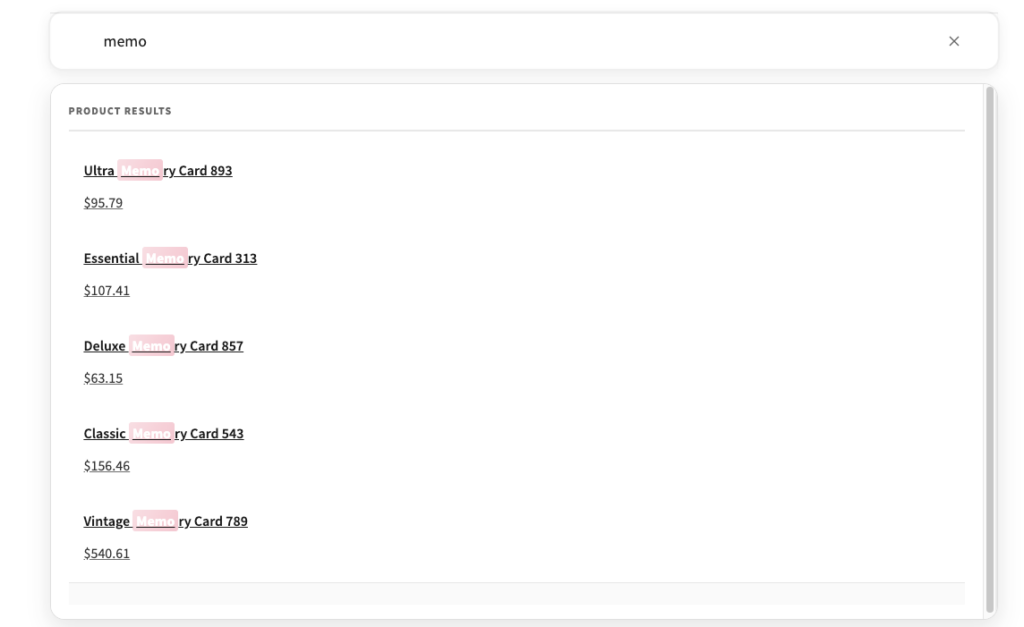

In terms of match quality, Meilisearch offers a level very close to Typesense. In tests, it handled both partial matches and typos well.
Just as with Typesense, the limitation is not the engine itself but the configuration scope available from the panel. More advanced ranking control requires work in code.
Performance and scalability of Meilisearch
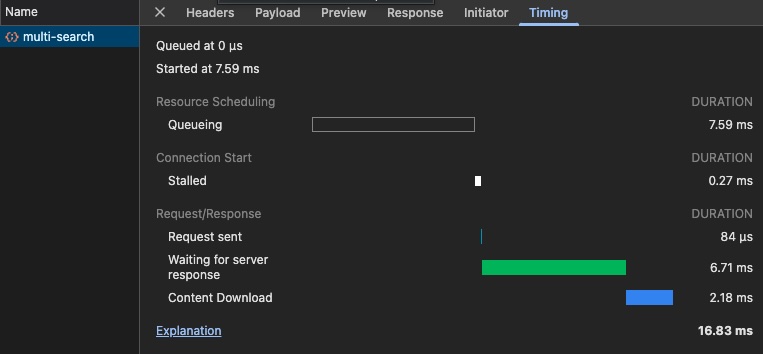
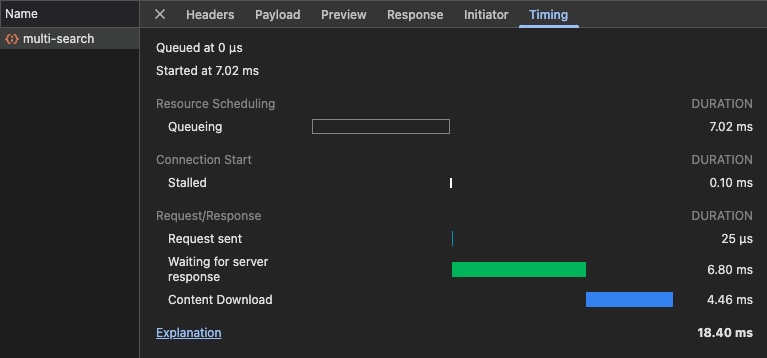
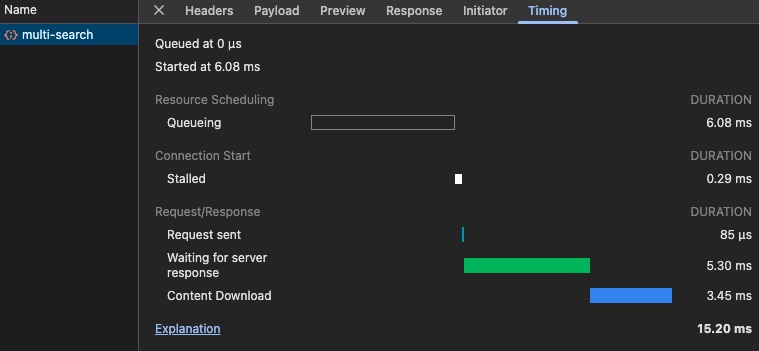
Meilisearch achieved results very close to Typesense. In tests, total response time for queries was around 16–18 ms, and TTFB stayed at around 6–7 ms. Results were stable and repeatable.
Differences relative to Typesense fell within a few milliseconds, so from the user’s perspective they are not particularly significant. In terms of performance, this solution also performs very well.
Meilisearch and WooCommerce
This is an area where Meilisearch with Yuto is more convenient than Typesense. WooCommerce products are detected automatically and can be indexed without additional configuration.
In practice, this means a faster start. Still, the range of data available out of the box remains limited. In more realistic e-commerce scenarios, the index needs to be extended with custom fields and logic.
This means that while the first steps are simpler, it is still a more technical than business-ready solution.
Administrator and developer experience
The Yuto configuration panel is limited and focuses primarily on selecting content types and manually triggering indexing. The plugin provides shortcodes and a Gutenberg block, which can make integration easier at the editor level.
What it lacks, however, is the option of replacing WordPress’s default search – something available in the case of Typesense.
From a developer’s perspective, the approach to extensions also differs. In Typesense, more things are done on the PHP side, while in Meilisearch most of the customization happens on the JavaScript side.
Meilisearch summary
Meilisearch combined with Yuto offers a very similar level of performance and match quality to Typesense. Its advantage lies mainly in the convenience of initial configuration, not in a fundamentally different level of capability.
It is a good solution for technical teams that want to use an efficient external engine but are ready to accept that reaching a fully polished search experience will require their own work on the project side.
Relevanssi + Relevanssi Live Ajax Search
Relevanssi for WooCommerce – architecture and implementation model
Relevanssi works in a completely different model than Typesense and Meilisearch. It does not use an external search engine, but operates directly within WordPress, using its database.
This means no additional infrastructure and no communication through an external API. All operations – both indexing and search – happen locally.
The plugin creates its own index in the WordPress database. It must be built manually, but afterward it can update automatically when content changes. The live search feature requires the additional Relevanssi Live Ajax Search extension, which works through admin-ajax.php.
Indexing scope in Relevanssi
This is one of Relevanssi’s strongest areas. The plugin offers a wide range of configuration options directly from the admin panel. You can index posts, pages, products, taxonomies, custom fields, comments, and content excerpts.
Compared to solutions based on external engines, this means more capabilities without having to touch the code. Many things can be set directly from WordPress.
This is a significant advantage, especially for smaller projects, where implementation simplicity matters a great deal.
Result relevance in Relevanssi

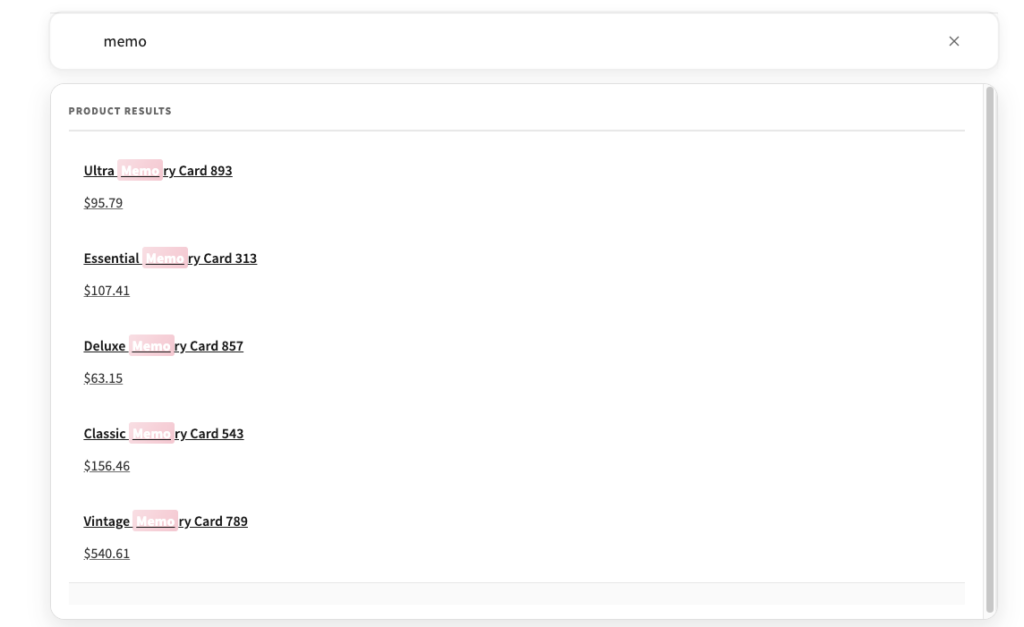

Relevanssi provides considerable control over result matching. You can influence the weight of different elements, the matching method, or the overall behavior of the search engine.
In practice, result quality was good and comparable to Typesense and Meilisearch for correctly typed queries. However, a significant difference appears with typos. Relevanssi does not have built-in tolerance for misspelled queries. To achieve a similar effect, you have to manually define synonyms.
This means that the effectiveness of the search depends more on configuration than on the engine’s out-of-the-box capabilities.
Performance and scalability of Relevanssi
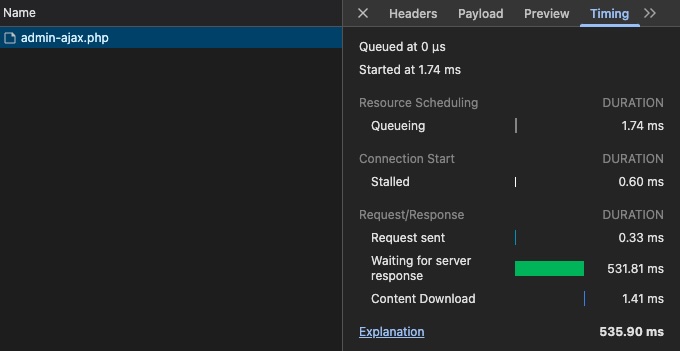
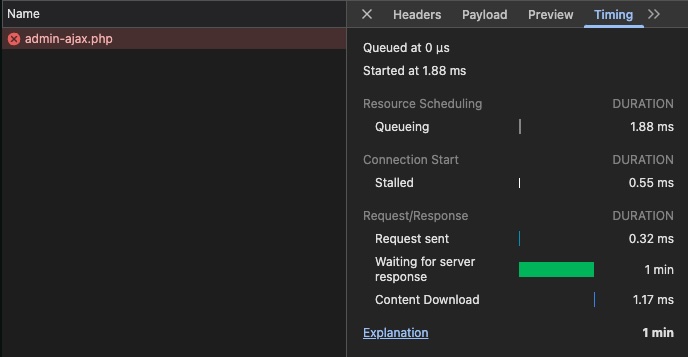
This is the biggest limitation of this solution. In tests with a catalog of about 180,000 products, indexing took from several to more than a dozen hours, and queries handled through admin-ajax.php had very variable response times – from about 150 ms to as much as several seconds.
More complex phrases, such as “memory card,” caused 504 timeouts. During testing, it was necessary to enable an option limiting results to a maximum of 500 per query to improve stability.
This, however, means a tradeoff: greater stability at the cost of complete results. Compared to external engines, the difference is very clear and, in a large WooCommerce store, has practical – not just technical – significance.
Relevanssi and WooCommerce
Relevanssi integrates well with WooCommerce already at the configuration level. Products are available right away, you can point to fields such as SKU or product taxonomies, and quickly launch the search.
At the start it’s convenient, but at greater scale the main limitation stops being configuration and becomes performance.
Administrator and developer experience
Relevanssi offers a very wide range of settings from the panel. The administrator can influence the matching method, element weights, synonyms, and result filtering.
A large number of options also means greater complexity. The panel requires an understanding of how search works, and some settings can affect performance with larger datasets.
For live search, the plugin uses its own templates that can be overridden in the theme. Hooks are also available for more advanced modifications.
Relevanssi summary
Relevanssi provides considerable control and a wide range of configuration options without the need for external services. The tests, however, clearly showed that for a large catalog, the performance limitations become too significant to treat this solution as a safe long-term choice.
It’s a good option for smaller projects. In a large WooCommerce store, its advantage is implementation simplicity, but that advantage quickly loses its meaning once a real load appears.
FiboSearch (AJAX Search for WooCommerce)
FiboSearch for WooCommerce – architecture and implementation model
FiboSearch operates in a model similar to Relevanssi. It does not use an external search engine and instead operates directly on WordPress and its database.
It is, however, a clearly WooCommerce-focused solution. In the free version, it concentrates solely on live product search – that is, autocomplete.
In this version, search is performed through AJAX queries without building an independent data index. Only the Pro version introduces its own engine and index.
Indexing scope in FiboSearch
By default, FiboSearch searches by product title. In the settings, you can extend the scope to include the description and short description, and exclude unavailable products.
In the free version, the search is limited exclusively to products. More advanced fields, such as SKU, attributes, or custom fields, are only available in the Pro version.
This means less flexibility, but also a simpler configuration and a very quick start.
Result relevance in FiboSearch
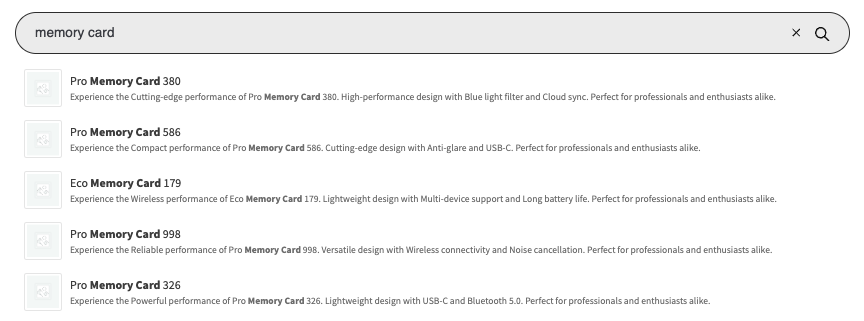
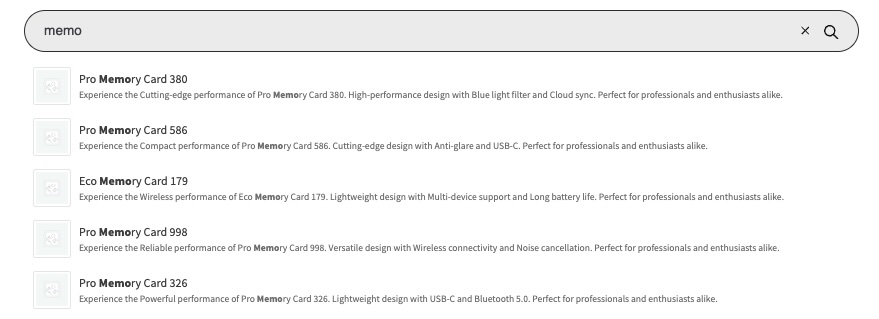
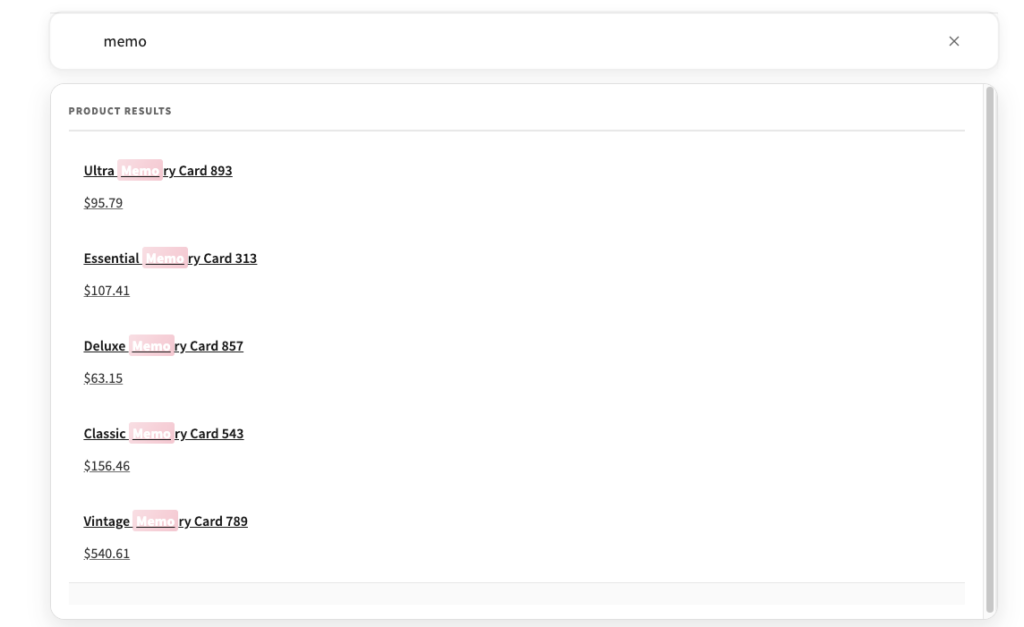
In the free version, match quality is good for simple, correctly typed queries. This search plugin for WooCommerce handles fast product-name search well and presents results in autocomplete.
What is missing, however, are the mechanisms known from Typesense, Meilisearch, or Algolia. The most important difference is the lack of typo handling and synonyms in the free version. As a result, search effectiveness depends heavily on the precision of the typed phrase.
Performance and scalability of FiboSearch
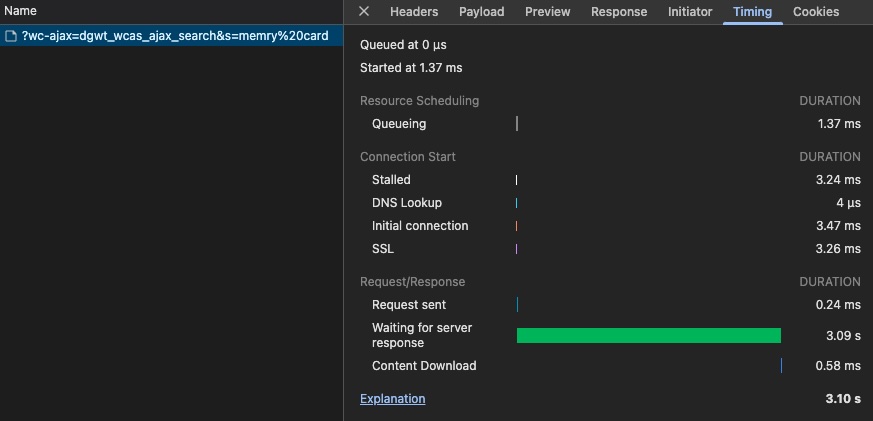
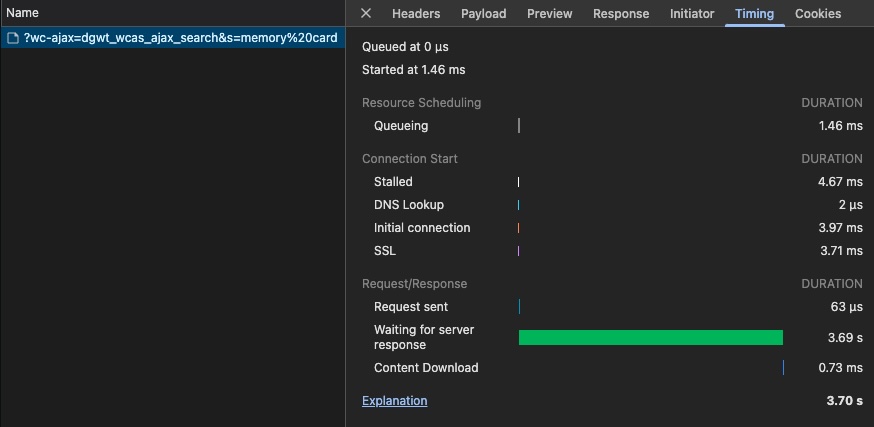
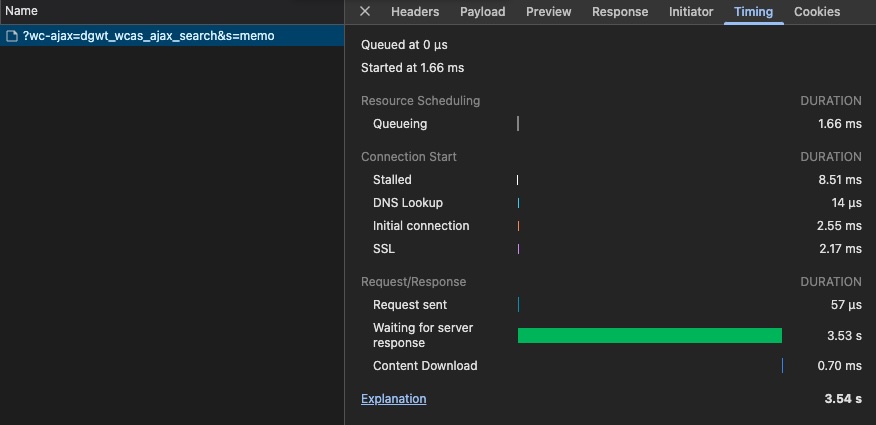
The lack of a dedicated index and reliance on AJAX mean limited scalability. In tests, autocomplete response times typically ranged from about 1 to 3 seconds, and in more complex cases reached as high as 6–7 seconds.
The autocomplete mechanism cancels previous queries while subsequent characters are being typed, which partly masks the actual response time but doesn’t change the fact that compared to external engines, the solution is noticeably slower.
Compared to Relevanssi, it works more stably and did not generate timeouts, but performance is still more appropriate for small and medium catalogs than for a very large WooCommerce store.
FiboSearch and WooCommerce
This is FiboSearch’s strongest side. The plugin was designed with WooCommerce in mind and works practically right after installation.
It provides a ready-made autocomplete mechanism along with product presentation – such as image, price, or SKU – and also allows displaying categories in suggestions. This is a very convenient solution for projects that want to quickly improve the basic search UX.
Administrator and developer experience
The admin panel is clear and focuses on autocomplete appearance and behavior settings. You can control the number of results, the scope of displayed information, or how it integrates with the frontend.
The plugin allows automatic replacement of the WooCommerce search and also offers a Gutenberg block, shortcode, and widget.
From a developer’s perspective, however, the possibilities are limited. This search plugin for WooCommerce does not provide as much control over ranking or search logic as solutions based on external engines.
FiboSearch summary
FiboSearch is a solution focused on quick implementation and improving the product search UX, particularly in the form of autocomplete. In smaller and mid-sized stores, it may be a reasonable choice.
With very large catalogs, however, its limitations begin to dominate: weaker handling of more natural queries and noticeably lower performance than solutions based on dedicated search engines.
Doofinder (Search and Discovery for WP & WooCommerce)
Doofinder for WooCommerce – architecture and implementation model
Doofinder operates in a noticeably different model than the previously discussed solutions. In practice, it is a SaaS platform that takes over both the search logic and a large part of the visual layer.
Integration with WordPress is minimal. After logging into a Doofinder account from within the plugin, data is filled in automatically, and once the service is activated, the search engine replaces both WooCommerce search and the default WordPress search.
All of the operational logic sits outside the application:
- the data index is maintained on Doofinder’s side
- queries are handled by an external API
- results are rendered through a JavaScript layer
This approach provides a very quick start and offloads WordPress, but at the same time it limits control on the project side.
Indexing scope in Doofinder
In the tested configuration – the Basic plan – the search covered only WooCommerce products. Doofinder automatically builds an index based on data from the site and syncs it without needing a manual reindex.
Product data is rich and lets you build filters and sorting without additional configuration. The limitation, however, is the plan model. The Basic plan offers only one index, and the multi-index feature only becomes available from the Pro plan.
In practice, this means that the search scope can be limited by the licensing model rather than by the project’s capabilities.
Result relevance in Doofinder
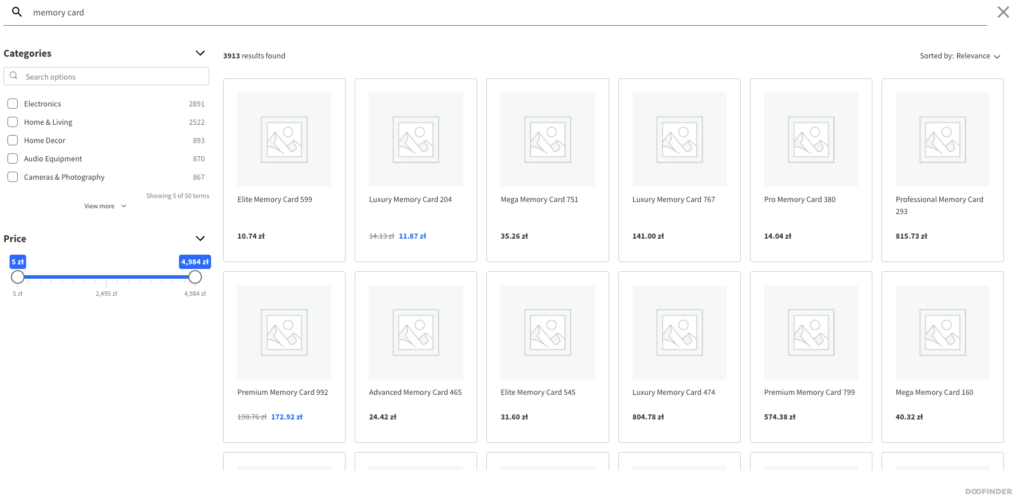
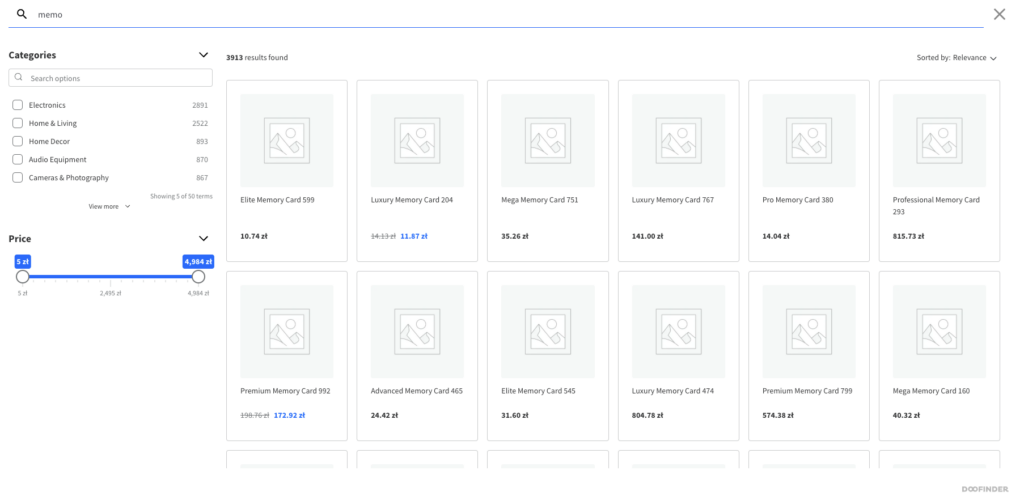
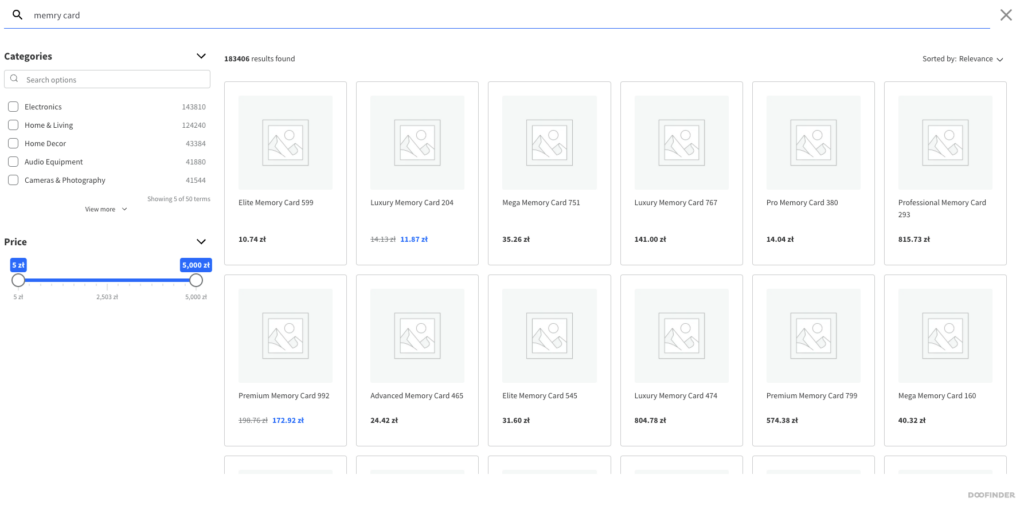
The quality of result matching is very high already with default settings. In tests, typos returned correct results, matching worked for phrase fragments, and results appeared immediately while typing.
The Doofinder panel also allows you to influence results through boosting, synonyms, or rules. A major advantage is that many of these things can be set without code.
Performance and scalability of Doofinder
From the user’s perspective, Doofinder works instantly. Results appear with no noticeable delay, and the architecture based on an external service and a CDN means the solution is scalable without the need to maintain your own infrastructure.
This is undoubtedly a strong side of the tool.
Doofinder and WooCommerce
WooCommerce integration works practically right after installation. Products are indexed automatically, the search engine can replace the default search, and the user gets a ready-made result interface.
Compared to self-hosted solutions, this means a faster start and less technical effort. However, the limitations of the Basic plan mean that the solution remains primarily a product search engine, and greater flexibility requires a higher plan.
Administrator and developer experience
The WordPress panel offers a minimal configuration scope. Real management of the search engine takes place in the Doofinder panel, which covers settings, analytics, and result management.
From the administrator’s perspective, this is convenient. From the developer’s perspective, however, it means less control over operational logic. Visual customization is possible, but not full control over how the search engine functions.
Doofinder summary
Doofinder is a SaaS solution that offers very fast search, high match quality, and a ready-made interface without requiring much developer involvement.
Its main limitation isn’t performance, but the level of control and dependence on an external platform. It’s an attractive solution where the priority is rapid implementation. For projects that want to combine SaaS quality with greater integration flexibility, it may prove too closed.
WLC WP Algolia
Algolia for WooCommerce – architecture and implementation model
WLC WP Algolia operates in a model that, from a large WooCommerce perspective, turns out to be particularly interesting. The search engine is Algolia – an external SaaS service responsible for indexing data, handling queries, and ranking results. The plugin itself serves as the integration and presentation layer, responsible for syncing data from WordPress and for building the search interface.
This is important because the solution combines two characteristics that rarely come together. On one hand, it doesn’t require maintaining your own infrastructure or building a search engine from scratch. On the other hand, it doesn’t close the entire process within a single external platform as tightly as classic SaaS solutions designed to take over the entire search layer.
In practice, this means a model that fits the needs of large e-commerce well: efficient search outside WordPress, but with control retained over how integration and result presentation work on the store side.
Indexing scope in Algolia
The plugin automatically detects available content types already at the configuration stage and allows them to be indexed without additional implementation. This applies to posts, pages, WooCommerce products, and media.
A separate index is created in Algolia for each content type, which makes it possible to search different data sources in parallel. This is a very important advantage in larger implementations, where the search engine shouldn’t always be limited solely to products.
The data scope can be controlled directly from the configuration. You can specify which fields go into the index, which should be searchable, and which should be used for filtering. Unlike self-hosted solutions, this doesn’t require manually defining the schema in code, while at the same time providing more control than more closed SaaS platforms.
In practice, this translates into a favorable balance between flexibility and implementation time.
Result relevance in Algolia
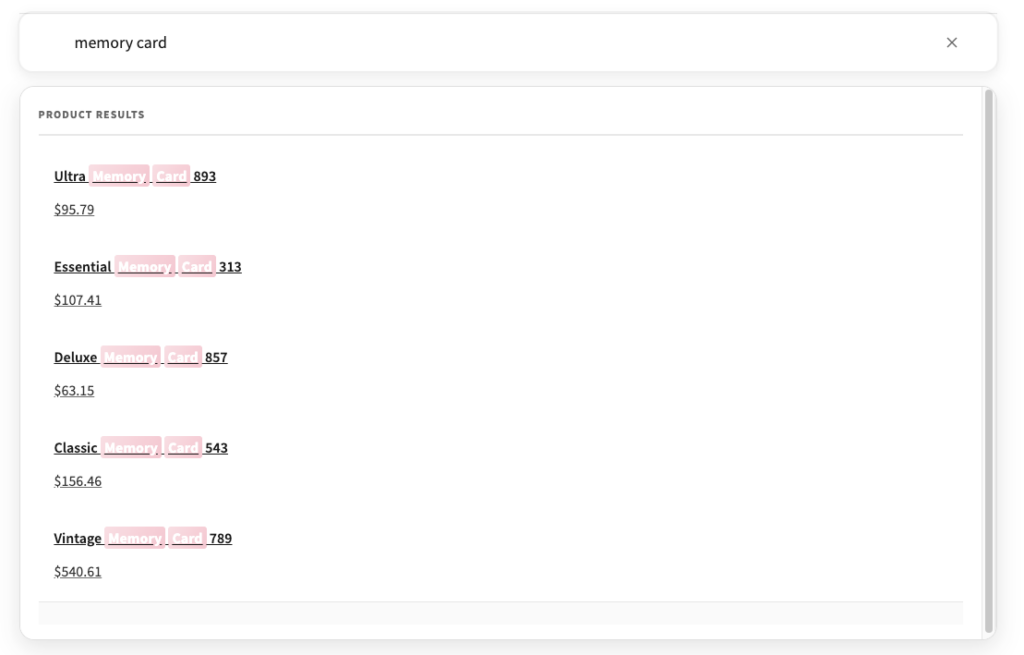
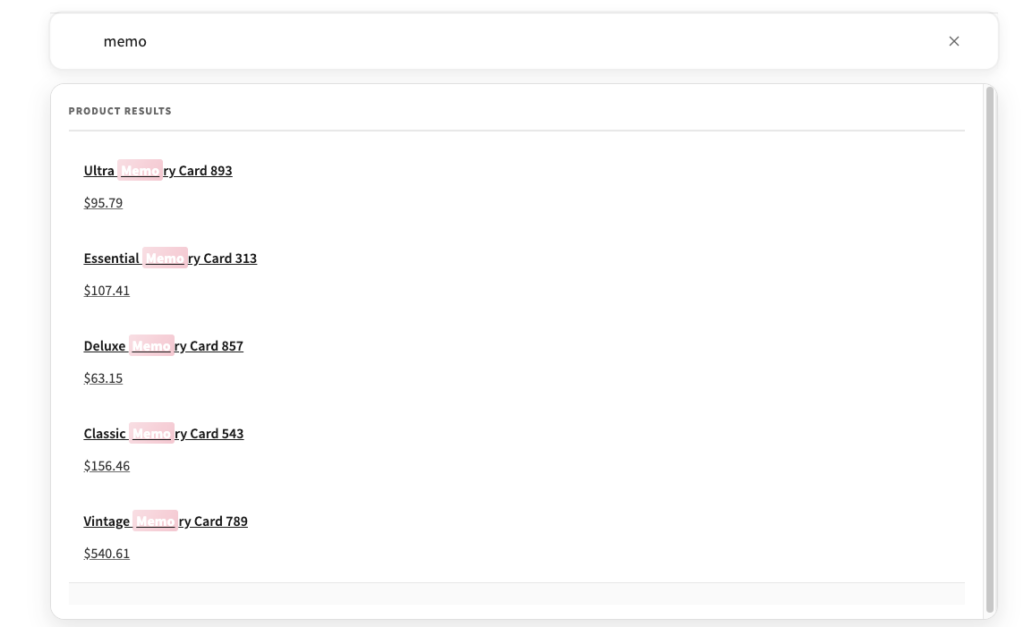
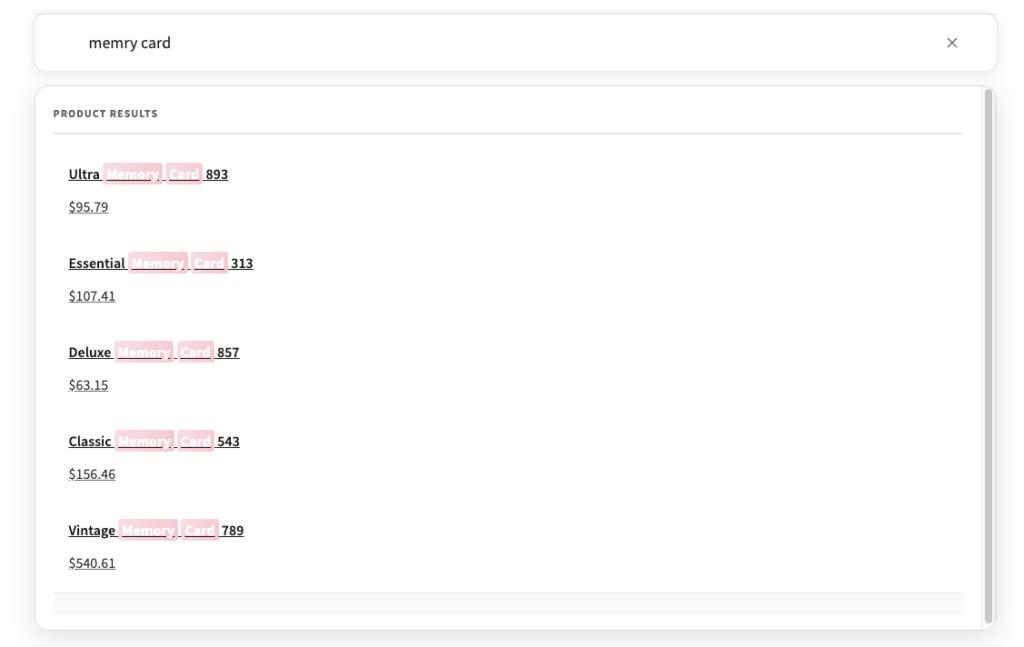
Match quality comes directly from Algolia’s capabilities and is at a very high level. In tests, queries with typos returned correct results, matching worked both for full phrases and their fragments, and results updated immediately while typing.
What matters, however, is not just the fact that Algolia delivers high result quality, but also how easily that quality can be controlled. Mechanisms such as ranking, synonyms, and typo tolerance are available from the Algolia panel and don’t require code changes.
This sets it apart both from local solutions, which have performance limitations, and from some self-hosted solutions, which offer broad capabilities but require more developer work to reach a similar level of configuration convenience.
Performance and scalability of Algolia
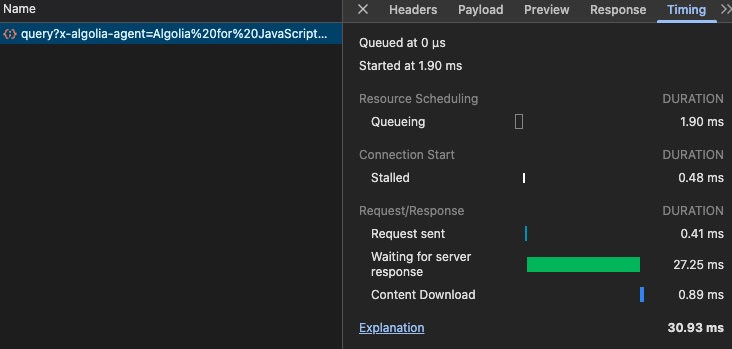
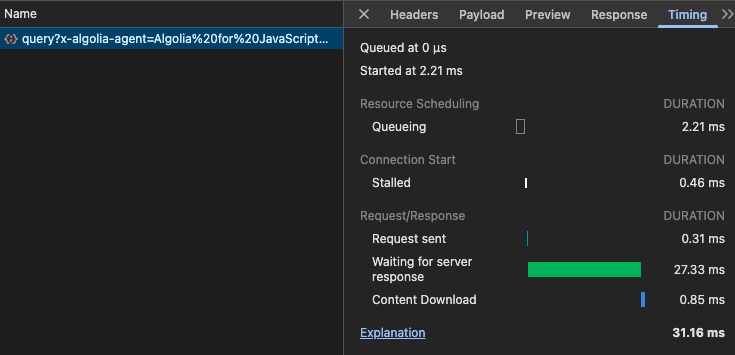
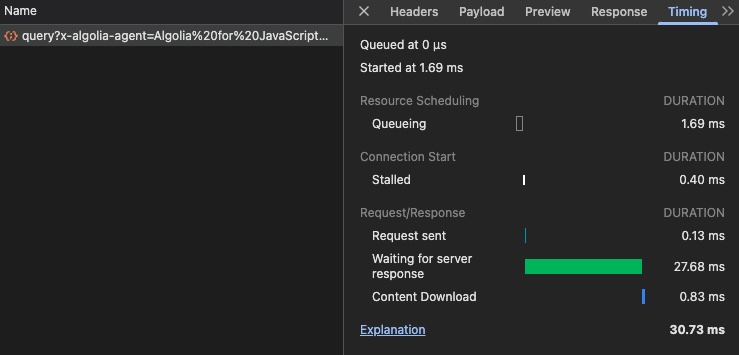
In terms of performance, Algolia reaches a level comparable to the best tested solutions. Response times were most often between 2 and 5 ms and remained stable regardless of query type. Results appeared instantly, including for queries with typos.
In practice, this means a level of operation that can be considered instantaneous from the user’s perspective. Differences compared to Typesense or Meilisearch fall within single milliseconds and don’t realistically affect the perception of the search.
At the same time, since the search is performed on Algolia’s side, it doesn’t load WordPress or its database. In a large WooCommerce store, this is a very important characteristic, because it avoids the problems typical of local solutions as the catalog scale grows.
Algolia and WooCommerce
WooCommerce integration works right after installation and doesn’t require additional extensions. Products are detected automatically and can be indexed already at the configuration stage.
Product data such as price, categories, and other attributes is available in search without manually extending the index. This means that the project doesn’t have to choose between implementation simplicity and the level of sophistication. This is exactly where Algolia stands out particularly well against other solutions.
Local solutions are simpler but don’t scale as well. Self-hosted solutions are efficient but usually require more development effort. Some SaaS platforms offer a quick start but limit flexibility. Algolia combines elements that, in a large WooCommerce store, most often have to be reconciled with one another.
Administrator and developer experience
This search plugin for WooCommerce clearly separates data configuration from interface building. The implementation process begins with setting up the indexes, and then moves on to building the search using Gutenberg blocks.
Autocomplete and the result view are available as separate blocks that can be embedded directly on the page. This makes it possible to build a complete search flow – from typing a phrase, through suggestions, to the result view – without having to build a custom frontend from scratch.
The interface can be configured without code, including filtering, sorting, and pagination. From the developer’s perspective, this means less work than with self-hosted solutions. From the administrator’s and business team’s perspective, it means greater independence and a quicker path to a mature solution.
In a large store, this is exactly the element that turns out to be particularly important. It’s not just a matter of whether something can be built, but how quickly and how predictably it can be maintained and developed.
WLC WP Algolia summary
WLC WP Algolia combines the performance and capabilities of an advanced search engine with a ready-made interface and a relatively low implementation threshold. Against the previously analyzed solutions, it stands out not only in terms of speed but, above all, in the quality of the tradeoff it offers.
It doesn’t require maintaining your own infrastructure, while at the same time it doesn’t lock the project in as tightly as more closed SaaS platforms. It doesn’t require building search logic from scratch, while at the same time it provides considerable control over data and how results are presented. It doesn’t operate locally within WordPress, which avoids the performance problems that appear with large catalogs.
This is exactly why, in a large WooCommerce scenario, it is the solution that’s easiest to defend not only technically, but also from a business standpoint.
What the comparison really tells us
The most important conclusion from this test is that choosing a search engine for WooCommerce doesn’t come down solely to the question of which option works fastest or has the longest feature list. In large e-commerce, what matters much more is the implementation and maintenance model behind a given solution.
Local solutions such as Relevanssi and FiboSearch offer implementation simplicity and a low barrier to entry. In smaller projects, this may be sufficient. In large catalogs, however, their performance limitations become too significant to treat them as a safe long-term choice.
Typesense and Meilisearch offer very good performance and high match quality. They also provide considerable technical control. Their price is greater implementation complexity, the need to maintain infrastructure, and more development work to reach a fully polished result.
Doofinder simplifies the entire process and delivers very good results right from the start, but it does so at the cost of flexibility. It’s a convenient but more closed solution.
Against this backdrop, Algolia comes out as the most balanced solution. It provides performance characteristic of the best external solutions, the convenience of a SaaS model, and at the same time retains more control over integration and the presentation layer than more closed platforms.
In practice, it’s exactly this balance that turns out to be the most important factor for large WooCommerce stores.
Which solution to choose for a large WooCommerce store
The choice of solution should depend on the project’s scale, the availability of the development team, and the expected level of control.
If the store is small or medium and the goal is a quick implementation without involving a developer, the simplest choice will be FiboSearch or Relevanssi. Both solutions improve the basic search experience, although at greater scale their limitations will quickly become apparent.
If the project has a strong development team and cares about full control over infrastructure, data, and search logic, Typesense or Meilisearch may be a good direction. These are efficient solutions but more demanding organizationally and technically.
If the priority is a quick start, no in-house infrastructure, and a ready-to-use SaaS model, Doofinder may be the natural choice. You’ll need to accept, however, the more closed nature of the solution.
If, on the other hand, we’re talking about a large WooCommerce store where performance, result quality, the absence of infrastructure issues, configuration convenience, and a reasonable level of flexibility all matter simultaneously, the most coherent choice remains Algolia. It’s the solution that most effectively combines technical and business requirements without shifting too much of the cost to the implementation team.
FAQ – product search in WooCommerce
Which WooCommerce search engine is best for a catalog with hundreds of thousands of products?
For very large catalogs, solutions based on an external search engine or a SaaS model most often perform best. This is because local solutions running directly within WordPress reach their performance limits more quickly. With several hundred thousand products, stability, response speed, and match quality – including for less-than-ideal queries – become important.
In practice, this means that for a large WooCommerce store, it’s worth focusing primarily on solutions that don’t directly load the WordPress database while at the same time not requiring an excessively complex implementation, if the store wants to achieve a mature result within a reasonable timeframe.
Is the default WooCommerce search sufficient for a large online store?
Usually not. In small stores, the default search may be sufficient, but as the catalog grows, limitations quickly appear related to result accuracy, lack of typo handling, and weaker performance. In a large store, these limitations stop being a minor inconvenience and start affecting conversion and the shopping experience.
If a user can’t find a product even though it’s in the catalog, the store loses traffic with high purchase intent. That’s why in larger implementations, the search engine should be treated as part of the sales infrastructure, not just as a standard platform feature.
Are self-hosted solutions such as Typesense and Meilisearch better than SaaS?
Not always. Self-hosted solutions can offer very high performance and considerable control over data structure and search logic. That is their major advantage. At the same time, this advantage typically comes with higher implementation complexity, the need to maintain infrastructure, and greater development effort.
In many large projects, what matters isn’t just whether something can be built very well, but how much time and resources it takes to reach that level. That’s why a SaaS model, if it preserves the right amount of flexibility, can be more business-rational than a fully self-hosted solution.
Is Algolia’s advantage only about speed?
No. Speed is an important element but it’s not the only reason Algolia performs well in a large WooCommerce store. Match quality, typo handling, the ability to configure rankings and synonyms without code changes, and the convenience of integration with WordPress and WooCommerce also play a significant role.
In practice, the advantage lies more in the quality of the overall operating model than in a single technical parameter. A good search solution shouldn’t only be fast. It should also be predictable, scalable, and maintainable without a disproportionate increase in project complexity.
When does a local solution like Relevanssi or FiboSearch still make sense?
Such solutions still make sense in smaller and mid-sized stores, especially when quick implementation, simple configuration, and the absence of additional infrastructure matter. If the catalog is not very large and the expectations for the search engine don’t go far beyond basic autocomplete and an improvement in result quality, they may be sufficient.
The problem appears as the store grows. In larger catalogs, their performance limitations become too visible, and the cost of maintaining simplicity starts to outweigh the benefit of a quick start.
Are Doofinder and Algolia the same type of solution?
Yes, both solutions operate in a SaaS model, but they differ in how they distribute control between the external platform and the project itself. Doofinder is more closed and to a greater extent takes over both the search logic and the presentation layer. This simplifies implementation but limits flexibility.
Algolia also operates outside WordPress, but to a greater extent allows control over how integration works, the data structure, and the presentation of results on the project side. This very difference matters significantly in larger implementations, where the search engine should be part of the store’s broader business logic.
Can the cost of a SaaS solution be justified in large e-commerce?
Yes, provided we look at the cost as a whole. The subscription alone shouldn’t be analyzed in isolation from implementation cost, infrastructure maintenance, developer time, and the risk arising from less stable solutions. In a large WooCommerce store, the cost of a weaker search engine can be far greater than the cost of the service itself.
That’s why, when evaluating cost-effectiveness, it’s worth comparing not only the monthly subscription, but the entire cost model. A nominally more expensive solution may turn out to be more rational if it shortens implementation time, reduces project complexity, and better supports sales.
Does search quality really affect conversion in WooCommerce?
Yes – and very directly. The search engine is used by users who typically already have a specific purchase intent. If at that moment the store can’t return relevant results quickly and predictably, it loses one of its most valuable user groups.
A well-functioning search engine shortens the path to the product, increases the number of product page visits, makes navigation through a large catalog easier, and reduces user frustration. As a result, it affects not only UX but also sales and overall traffic efficiency.
For a large WooCommerce store, is it better to choose full control or a better implementation tradeoff?
It depends on the team’s structure and business priorities, but in practice many large stores don’t need maximum control at any cost. They need a solution that works very well, is scalable, and doesn’t generate unnecessary operational complexity.
That’s why in many cases the better choice is a model that provides a high level of flexibility but doesn’t require building and maintaining everything in-house. For this very reason, solutions that combine the performance of SaaS with good control over integration are often the most sensible choice.
Search plugin for WooCommerce – summary
All of the analyzed solutions improve search in WooCommerce, but they do so in different ways and with different organizational costs. In small stores, these differences may seem less significant. In large catalogs, they become critical.
Local solutions offer a simpler start but reach the limits of their performance more quickly. Self-hosted solutions provide high performance and significant control, but require greater developer involvement and more infrastructure maturity. SaaS solutions simplify implementation but not all of them leave the project with the same level of flexibility.
In practice, it’s exactly the combination of performance, match quality, implementation convenience, and a reasonable level of control that turns out to be the most valuable. That’s why in a large WooCommerce store, the most convincing solution is one based on Algolia. Not because it is the only possible option, but because it most fully addresses the real needs of a store that wants to grow without making unnecessary compromises on performance or implementation complexity.